Author: Nick Roberts

Drilling Equipment in HDR

Drilling Equipment #1

Click on the image to enlarge it in another window.

These drill heads are used in the installation of the bridge piers that will support the two towers for the Downtown Span of the Ohio River Bridges Project in Louisville KY. The steel caissons behind them will be placed in the river and filled with concrete to create the foundation for the bridge.

I created this image from a bracket set of three frames shat at +2, 0 and -2 EV. The dynamic range was pretty wide due to the effect of shooting through the caissons to capture the Louisville shoreline. Using HDR shooting techniques and NIK HDR Efex Pro 2 I was able to create a high dynamic range image that shows the shoreline as well as the interior of the caissons.

HDR of Ohio River Bridges Project

Saturday on the Ohio River Bridges Project

Click on the image to enlarge it in a new window.

This image was captured looking west from the Big Four Bridge. The two cranes in the river are drilling sites where the towers for the Downtown Span will be built. The tugboat in the foreground was moving barges into place at the two drilling sites.

The image was created from a three frame bracket set of +2, 0 and -2 EV shot handheld. I merged them in NIK HDR Efex Pro 2 and applied the Balanced preset which I then tweaked to get the detail and realism I was looking for. I set the anti-ghosting at 60% which did a good job of rendering the moving tugboat. After merging and tweaking the image I returned it to Aperture 3 where I finished adjusting the color channels, contrast and sharpening.

Nick Roberts – Using HDR Photography to Create Your Own Personal Style Workshop in Louisville, KY, United States Rescheduled to November 9, 2013

Entrance to the Big Four Bridge, Louisville, KY

This workshop has been rescheduled to November 9, 2013.

===================================================

Nick Roberts – Using HDR Photography to Create Your Own Personal Style Tickets in Louisville, KY, United States.

I will be presenting another HDR workshop Saturday November 9, 2013. If you are confused about the How and Why of HDR image making this is the workshop for you. The workshop will cover how to shoot HDR,  how to process your images using NIK HDR Efex Pro 2 and how to finish them in your favorite image editing software. We will also touch on using plug-ins from OnOne, Topaz Labs and other NIK software apps.

The workshop structure is very hands on; you will be working on your own laptop using files I provide to learn how to merge and finish them as HDR images. Afterwards we will use images that the participants provide on their own to better grasp the core concepts.

Final Assembly of the Pier Reinforcement Structure

Ironworkers on barge
Ironworkers on their construction barge put the final touches on the pier reinforcement structure.

Click on the image to enlarge it in another window.

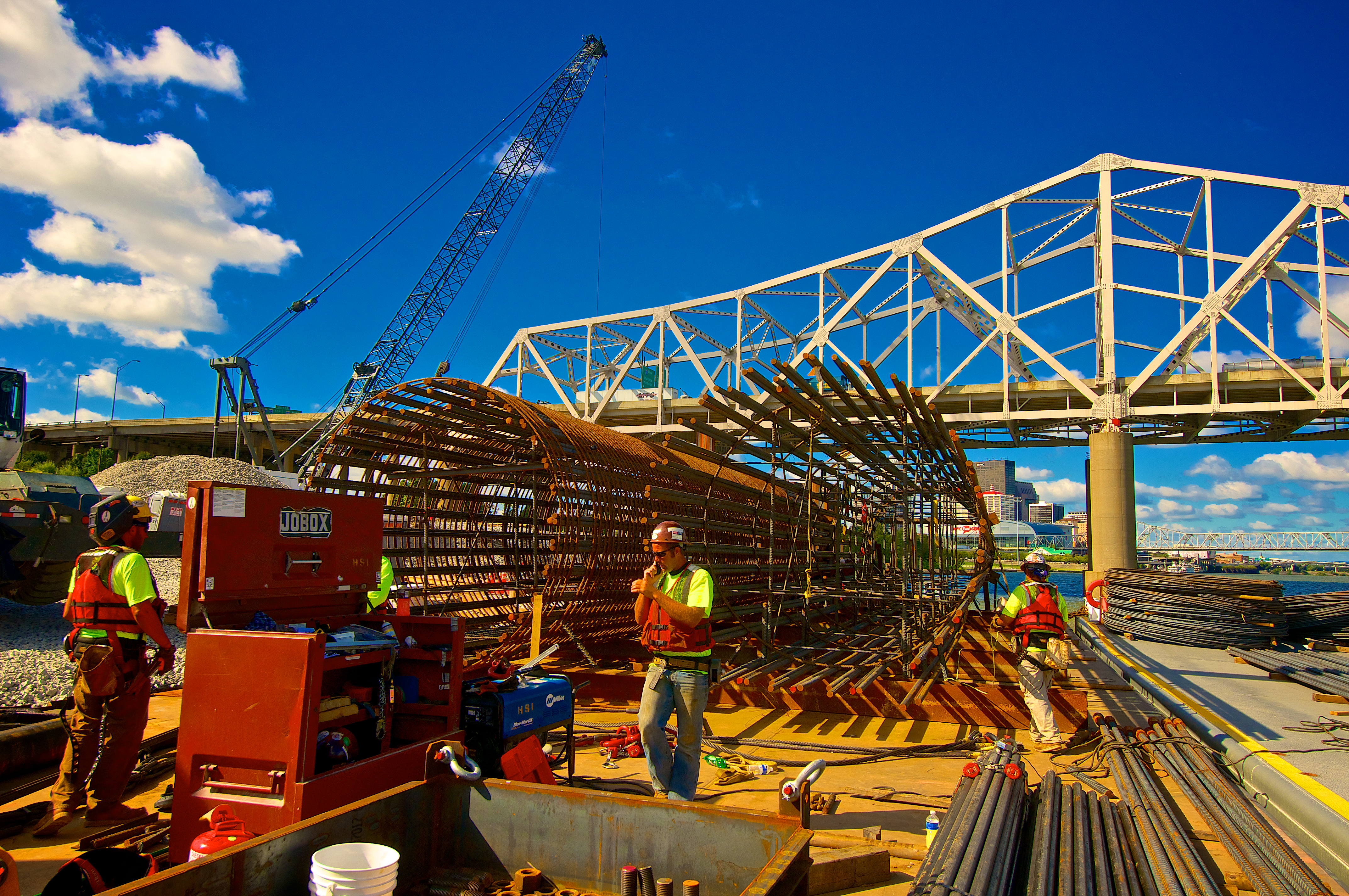
This image shows the pier reinforcement structure that will be taken out to the drilling platform in the background and installed inside a steel caisson  that has been drilled thirty feet into the bedrock under the river. The men are making their final assembly before rigging it to be lifted and inserted into the caisson the next day.

Once again I worked with a single frame from my bracket set in Aperture 3. I created a preset that I can apply to most of my shots from this day which will greatly speed up my processing for the entire shoot. Once I have my basic settings adjusted to suit my vision for the photo I create a preset that I can then apply to other images from the shoot and then adjust to fine tune a particular image.

The Ironworker’s Barge

The Ironworker's Barge
The Ironworker’s Barge

Click on the image to enlarge it in another window.

This image is from the work barge where the ironworkers are constructing the reinforcement frameworks that will be placed inside the bridge piers before the concrete in poured. I processed it in Aperture 3 without any additional plug-ins.