Tag: panorama

Ohio River Morning

Orange Dawn

Click on the image to open it at a larger size in another window.

This panorama was taken from the Big Four Bridge looking upriver; the river seems so calm and sleepy in the early morning hours. I really liked the way the sky was reflected in the river that morning and the minimalist feel that it imparted.

I processed this image in NIK HDR Efex Pro 2 using the Deep 2 preset as my start point.

Not much more to add except that I hope all my readers here in the US have a great Thanksgiving holiday. I’ve baked three pumpkin pies and a sweet potato casserole as my contribution to our family’s Thanksgiving dinner. Now all I need to do is deliver them and then sit back and enjoy our family’s company.
Magic Morning

Magic Morning

Click on the image to open it at a larger size in another window.

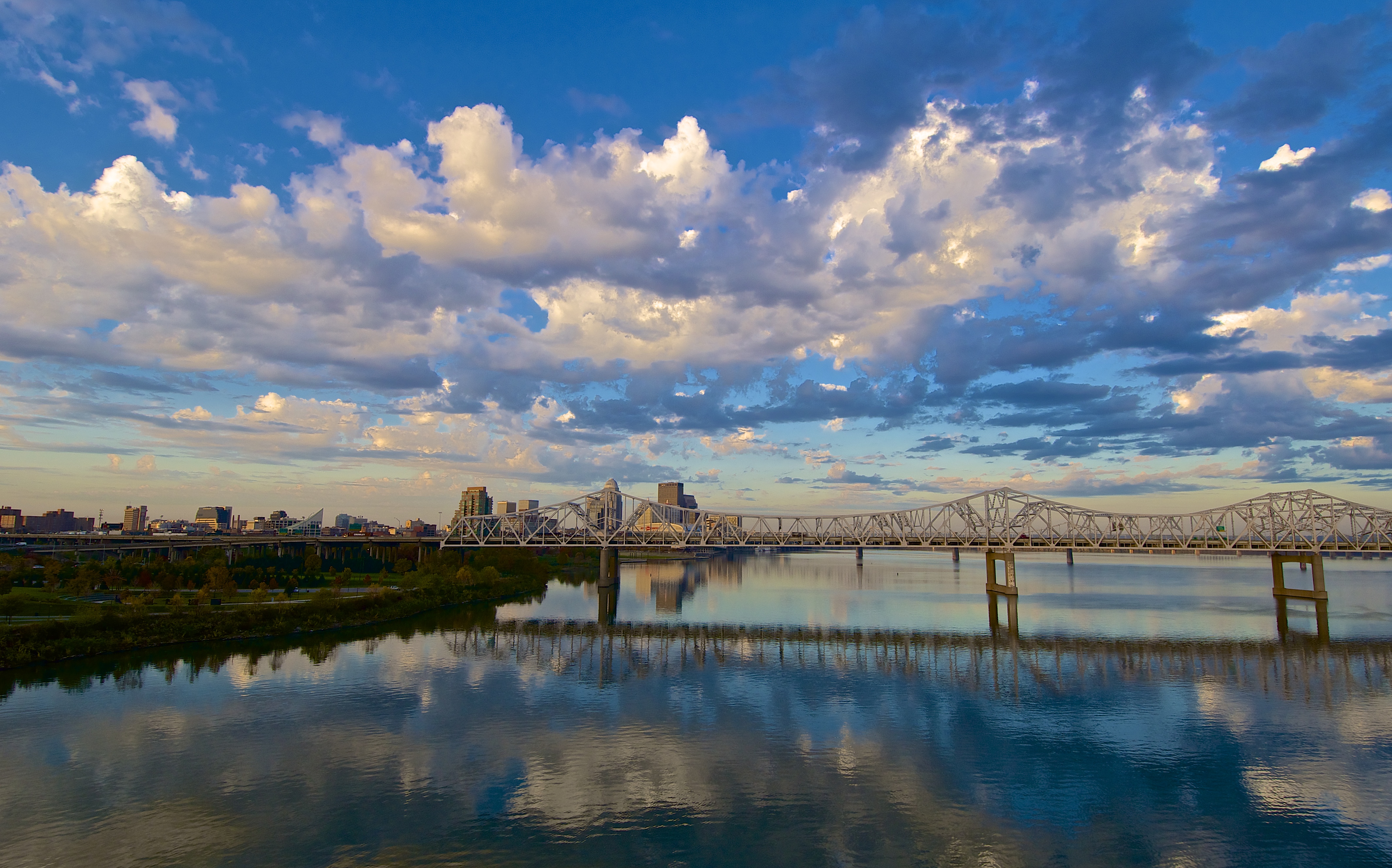
It’s been a while since I posted anything but I’ve been busy shooting the final days of the Big Four Bridge project. I shot this image from the Big Four Bridge a couple of weeks ago and just found time to process it last week.

Though it appears to be a HDR image this image is from a single frame and was processed entirely in Aperture 3. I chose to use this frame from the bracket set I shot because it had an excellent histogram that was not blown out in the highlights or blocked up in the shadows. It was very early in the morning and the sunlight had not begun to illuminate the shoreline but the reflections of the clouds were so dramatic I couldn’t resist the shot.

Across the River

Kennedy Bridge Sunset

Click on the image to open it at a larger size in another window.

This image was captured from the Jeffersonville, Indiana shore of the Ohio River looking west toward Louisville. It was a great evening for a sunset and I chose to ride over to Indiana to see what the Louisville skyline would look like.

I processed this single frame in NIK HDR Efex Pro 2 to enhance the colors in the sky. After adjusting the tonality to create the feeling I was looking for I returned the image to Aperture 3 for final sharpening and some additional tweaks to the definition, vibrance and recovery sliders as well as performing the final sharpening on the photo. Before sending it to NIK HDR Efex Pro 2 I applied some RAW pre-sharpening in Aperture 3 which I have discovered is a good way to start processing an image.

Waterfront Park View #2

We’ll Be Landing in Louisville

Click on the image to open it at a larger size in another window.

This is another shot I took from high above the Big Four Bridge last month.  It was early and the sun was just rising when I captured this scene. The airplane in the sky adds interest to an otherwise empty sky. The river is so placid early in the morning almost as if it has been sleeping and is just waking to a new day. Waterfront Park is a treasure that many Louisvillians are unaware of; the park extends east of downtown for several miles and reinvigorates a former blighted area of Louisville. The park sits on land that at one time had nothing but scrap yards, asphalt terminals, barge docks and derelict structures all along the riverfront. The land has been reclaimed and decontaminated over the past twenty five years to create one of the most unique parks in America.

I processed this single frame HDR image in Aperture 3 and NIK HDR Efex Pro 2 to get just the right atmosphere.

Louisville Morning

Louisville Morning
Louisville Morning

Click on the image to open it at a larger size in another window.

Last week I decided to shoot a panorama of the Louisville Waterfront Park and the Ohio River from the vantage point of the Big Four Bridge. I set my tripod up and shot nine frames in a 180 degree arc from left to right. I wanted to capture the soft pinks and blues of the sky and the reflection of the Kennedy Bridge in the water. As an added benefit of this panoramic shooting technique the bridge is shown from two different viewpoints. I especially like the altered perspective that occurred with the left and right sides of the image where the Big Four Bridge is shown from different angles.

I merged the nine frames in Photoshop CS5 using the Automate/Photo Merge command. After merging the images I flattened it and cropped the edges slightly. I then returned it to Aperture 3 where I lightly adjusted the exposure and very slightly increased the vibrancy and definition sliders. I then applied a little sharpening before saving it for the web.
