Three HDR images of the Ohio River Bridges Project Downtown Crossing progress as of March 22, 2014
Tag: NIK HDR Efex Pro 2
Using NIK HDR Efex Pro 2 and Topaz Labs Software Together to Add Drama to an Image

Click on the image to enlarge it in a separate window.
I was in the mood to experiment yesterday and decided to use this photo of the statue at the Indiana entrance of the Clark Memorial Bridge across the Ohio River in Jeffersonville Indiana as my source image. I first created a HDR image from a three frame bracket set of +2, 0 and-2 EV exposures where I applied the Balanced preset with Detail set for Accentuated and Drama set for Deep. I returned the merged file to Aperture 3 for some retouching of dust spots and other standard adjustments. After doing that I created a duplicate file and opened it in Topaz ReStyle where I applied a preset that I happened upon while experimenting with the Landscape presets. I don’t recall which one it is (I should write that stuff down) but I liked the feeling of Art Deco Posters that it gave the image. I also added a texture layer in OnOne Perfect Effects that simulates canvas.
After creating this image I spent a few hours applying different combinations of Topaz ReStyle and OnOne Perfect Effects to several other copies of the same image. It was very exciting to see how many ways I could change the overall feeling of one image simply through application of Various Topaz ReStyle and OnOne Perfect Effects.

Click on the image to enlarge it in a separate window.
The image above is the source image that I created in NIK HDR Efex Pro 2 before experimenting with Topaz ReStyle and OnOne Perfect Effects.
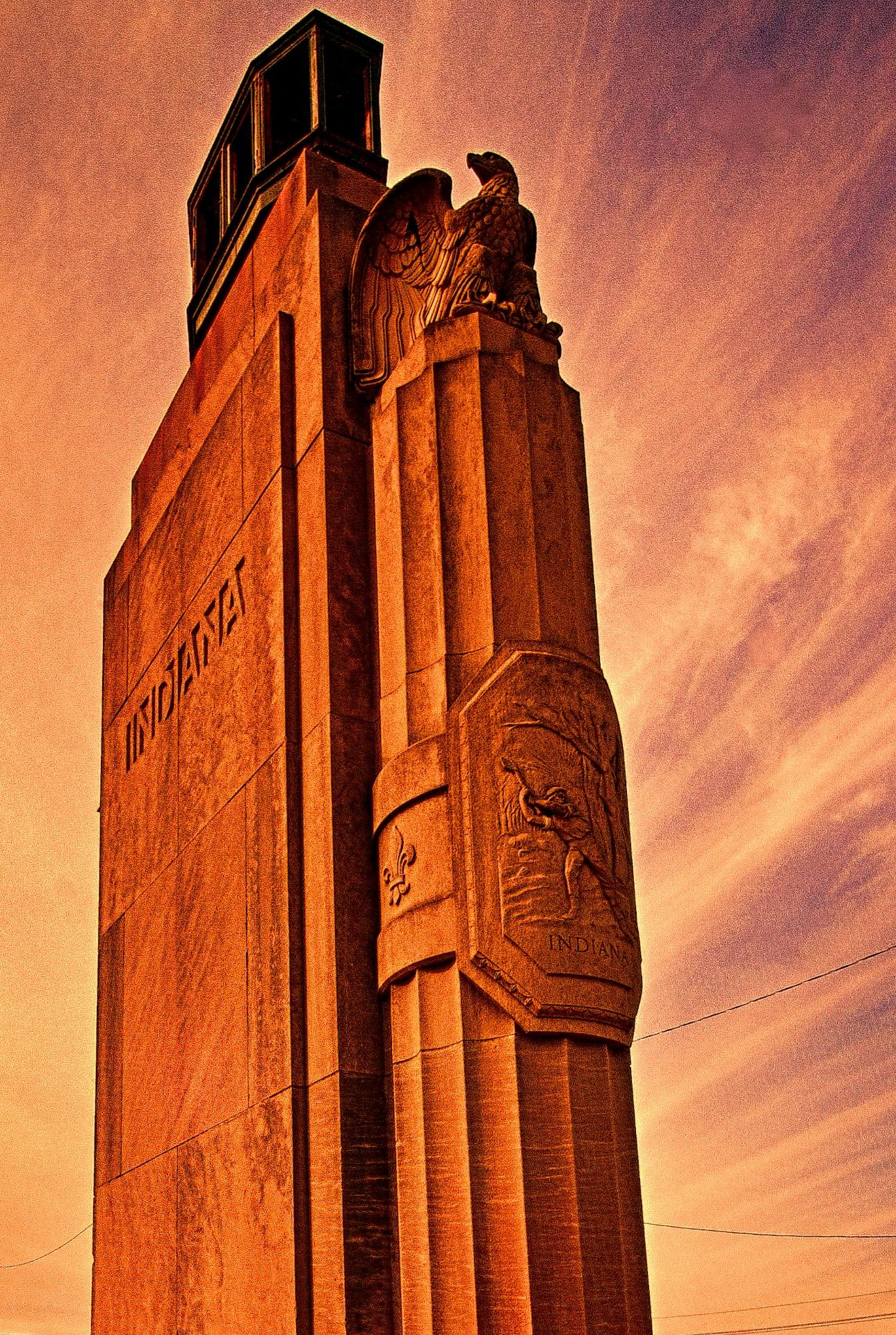
Click on the image to enlarge it in a separate window.
This version uses only a single Topaz Restyle preset to convey an entirely different feeling to the HDR source image.
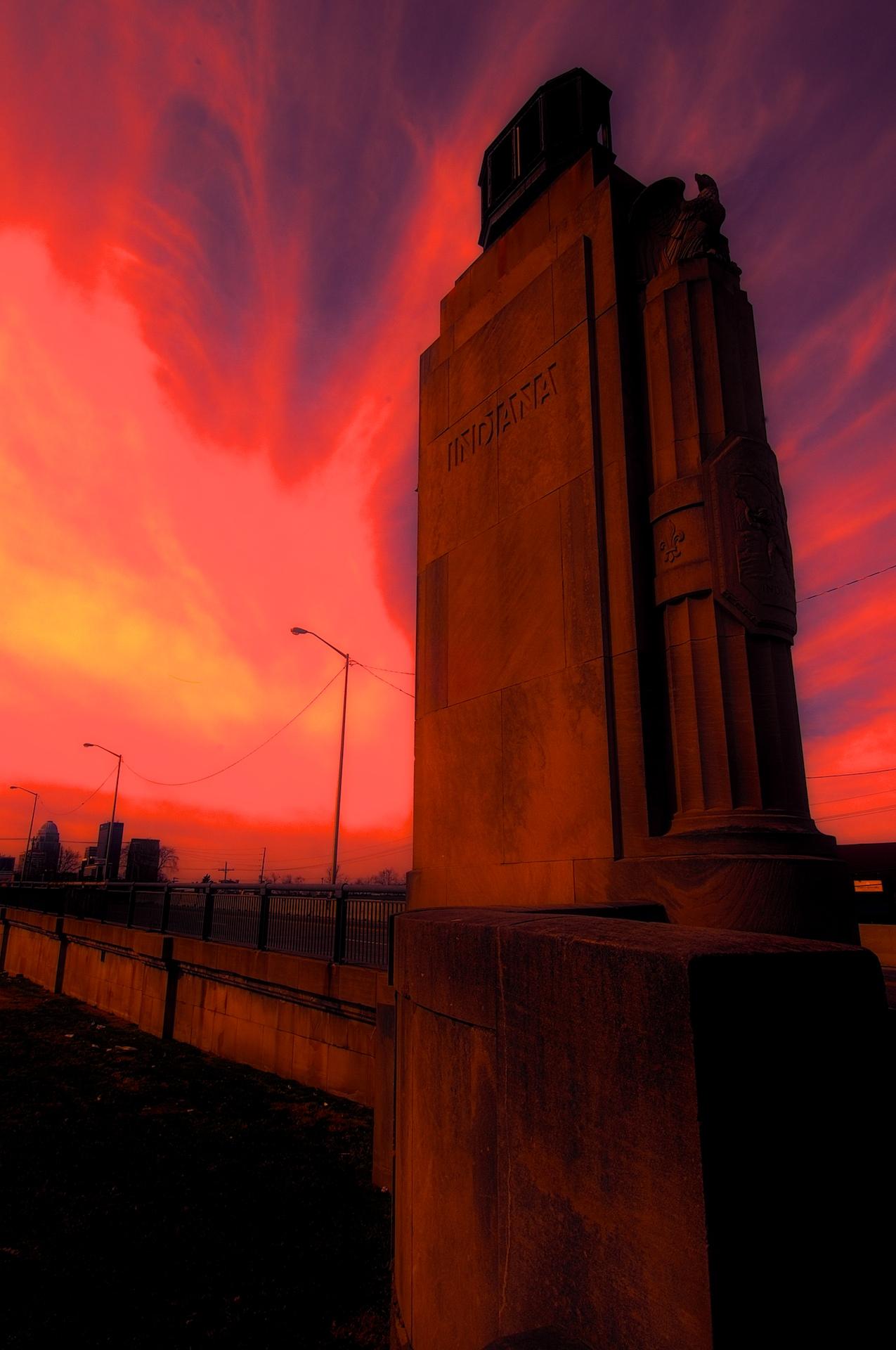
Click on the image to enlarge it in a separate window.
For this final image I worked with a HDR image that I then applied a Fiery preset in Topaz ReStyle to before taking it into OnOne Perfect Effects and using layers added a Glow preset and a Texture preset called Black Leather. In both instances I reduced the Opacity of the presets a lot to get this final version.
I had a blast experimenting with all three pieces of software and may do some further experimenting again soon.
HDR Photos of Progress on the Ohio River Bridge North Tower
Click on the image to enlarge it in a separate window.

The Ironworkers and Carpenters have been very busy over the winter and the North Tower of the Downtown Span is progressing well. In this first image you can see the tower base as it stands today. The Ironworkers are tying the rebar for the next section and as soon as that is done the Carpenters will form that section for the next concrete pour.
I regret that I was under the weather for the first two months of this year and unable to get out to the Ohio River Bridges project very often. In looking back at the images from the end of 2013 I can see that there has been a great deal of progress. I’m back on the job now and will be posting on a regular basis as I did throughout the end of summer and into fall.
All of these images today are HDR images processed in NIK HDR Efex Pro 2 and Aperture 3. As is my standard practice I shot everything handheld in three frame bracket sets of +2, 0 and -2 EV exposures. I applied 60% anti-ghosting during the merging of these three exposures and used the Balanced Preset as my starting point. After merging them and applying the preset I went back into the tone mapping settings and changed the Detail slider to Accentuated and the Drama slider to Deep. That is all I did in NIK HDR Efex Pro 2 before returning the merged file to Aperture 3 where I adjusted the color channels, sharpening, contrast and applied a small vignette.

Click on the image to enlarge it in a separate window.
In this image the Ironworkers are working with the crane Operator to lift more materials onto the tower scaffolding. They have to communicate with the Crane Operator using hand signals and radios to safely manage material transfers. I am always amazed at the skill of these crane operators to place everything from a small bundle of steel reinforcing to massive concrete forms on the job with pinpoint accuracy.

Click on the image to enlarge it in a separate window.
In this HDR image the concrete form is being removed from the angled surface of the eastern side of the eastern pier of the North Tower. The carpenters have unbolted it and rigged it for the crane Operator to lift it and transfer it to a waiting barge until it is needed again. Seeing the Carpenters alongside these forms gives scale to their size. Once again the Crane Operator and the Carpenters are working through radio and hand signals to safely move this massive piece of concrete form.

Click on the image to enlarge it in a separate window.
For this HDR image I chose to shoot the removal of the concrete form in a vertical format to better capture the cranes and the upward momentum that the project exudes as it progresses.

Click on the image to enlarge it in a separate window.
This HDR image shows both bases for the North Towers of the Ohio River Bridges Project Downtown Span. The progress that is being made really comes out in this HDR photo. The concrete forms have been removed from the base of the western side of the towers and scaffolding is surrounding the transition point as the base morphs into it final cylindrical shape which will be approximately 150 feet in the air when it is completed.

Click on the image to enlarge it in a separate window.
This HDR image shows a cooling manifold being lifted into place. It is used to distribute cooling water through the concrete as it cures. When concrete cures there is a lot of heat inside it; this is due to the catalytic reaction of the materials that are used to make concrete. Without cooling this reaction would cause the concrete to overheat and lose it’s strength. The cooling process goes on until sensors built into the structure provide the information to show that it is safe to stop cooling the concrete and allow it to finish curing.
I’m really glad to get back to shooting the Ohio River Bridges Project and posting my work again. I hope that small hiccup at the beginning of the year won’t be repeated and I can complete my project of documenting the Ohio River Bridges Project and the men and women who are doing it.
Waterfront Park Winter in HDR

Click on the image to enlarge it in another window.
Last week I decided to see what Waterfront Park looked like after several days of sub-zero weather and a couple of snow storms had blanketed the park. I wanted to emphasize the feeling of the coldness and crispness that winter on the Ohio River produces. I chose to shoot the above image because it seemed to encompass so many elements that identify the city and at the same time reinforce the brittleness and chill that was in the air. I was drawn to the complimentary colors of the gold in the sunset and the blue shadows on the shoreline. The river had been dropping for several days and there were shelves of ice layered one above the other at the river’s edge.
I knew going in that I was going to make these images as HDR images and shot my customary bracket set of three exposures at +2, 0 and -2 EV. I merged the three files into one high dynamic range image using NIK HDR Efex Pro 2. After merging them I applied the Balanced preset, adjusted the Detail slider to Accentuated and the Drama slider to Deep before returning the merged file to Aperture 3 for final processing. I chose to make these images in HDR because there was such a broad dynamic range in the scene from very dark areas along the shore to sunlight streaming through the bridge and around the skyline in the back of the images. Whenever there is such a wide dynamic range I find HDR processing allows me to show the scene as I saw it during my shooting.

Click on the image to enlarge it in another window.
This second image is also a three frame bracket set taken much later in the evening. I was hoping to convey the quietness and solitude that a winter evening in Waterfront Park offers to those who venture there in January. I liked the way the street lamps illuminated the pathways and the shadows they cast across the ground. The lights on the Kennedy Bridge in the background are direct color compliments to the cobalt sky and clouds while the muted greens and yellows of the grass and street lamps that occupy the middle and foreground carry the eye along toward the river.
My HDR processing for this image was very similar to the first image though I did spend a little more time adjusting the color channels to get the feeling that I experienced as I surveyed the scene and decided to capture it. As with the previous image my goal here was to reinforce the icy cold that we are experiencing this winter here in Louisville.

Click on the image to enlarge it in another window.
I have been photographing the Big Four Bridge for several years and because of that I have to really study the scene to come up with something fresh to shoot. For this image I wanted to capture not only the beautiful sunset but also the snow on the ground and the feeling of winter. Once again the complimentary colors of the oranges of the sunset and the icy blue of the shadows were primary elements in my composition.
This image too is another high dynamic range image using NIK HDR Efex Pro 2 and Aperture 3 to process it. My goal with my HDR work is to present a realistic, if heightened, vision of natural and manmade elements that evoke strong feelings in the viewer.
Bright Blue Morning in Waterfront Park

Click on the image to enlarge it in another window.
This HDR image of Waterfront Park and the Ohio River was taken from the Big Four Bridge a couple of weeks ago. It was a cold crisp morning and the blue sky seemed Continue reading “Bright Blue Morning in Waterfront Park”

