Tag: High dynamic range imaging

View from the North Tower of the Downtown Span of the Ohio River Bridges Project

View from the north tower of the downtown span
Looking out on the job site from the north tower of the Ohio River Bridges Project.

Click on the image to enlarge it in a separate window.

Howdy everyone. It’s been weeks since I last posted about my ongoing project to chronicle the progress of the Ohio River Bridges Project here in Louisville. I’ve been quite busy with several other aspects of my personal project of photographing the bridge building process and the men and women who are building it. When I began this project I had no idea how truly monumental and time consuming it would be.

The last bridge/construction project I worked on was much smaller and didn’t fully prepare me for the scope of a major civil engineering project such as the Ohio River Bridges Project. When I photographed the Big Four Pedestrian Bridge and the men who did it I was working with a crew that numbered less than thirty people. In contrast the Ohio River Bridges Project involves not only the main span across the Ohio River but also a complete realignment and reconstruction of the area known as Spaghetti Junction. A project of this magnitude requires hundreds of people to accomplish and really expands my personal involvement. In Spaghetti Junction there are over fifty bridges and overpasses that will be needed to connect the new bridge to the Interstates that converge in Louisville. While the downtown span will carry northbound I-65 it must also join I-64 and I-71in Spaghetti Junction.

I have had to learn how to pace myself and how to best record the progress being made. In addition to the photography challenges I face there is the need to catalog, process and organize the thousands of photographs that I have already taken. Over this past winter I discovered that I needed to greatly expand my storage equipment to accommodate the massive amount of images I am recording. I had to upgrade several hard drives and take control of the photos or face utter chaos as the project grew. I thrive on challenges and this project has been the largest challenge I have faced as a professional photographer.

I lost the first two months of 2014 to personal health issues that prevented me from getting out to the job site as much as I wanted. I also had to contend with the extreme weather that gripped Louisville and slowed the construction. That is all past me now and I’m back to shooting regularly. I have upgraded my storage media and improved my workflow to allow me to capture the images I need to tell the story.

This week I was able to get out on the river and survey the progress that has been made getting the piers drilled and in place. The northern tower is progressing well and the tower crane is being assembled on it. The two towers that make up the northern tower are already taking shape and it was possible for me to climb up the western one and get the image that begins this post. In the weeks to come I will be climbing higher on these towers to shoot the Ironworkers and Carpenters as they build them.


Upcoming HDR Workshop: Using HDR Photography to Create Your Own Personal Style

Abandoned Gas Station in Northern Alabama.
HDR Image of an Abandoned Gas Station in Northern Alabama.

Click on the image to enlarge it in a separate window.

Have you been curious about HDR (high dynamic range) photography but intimidated with all the mumbo jumbo that you’ve heard about it? Have you wondered how to create photos that show all the detail you saw when you tripped the shutter? Are you ready to take your photo processing to the next level?

If you answered yes to any of these questions then join me for this HDR workshop April 18-19, 2014 in Louisville, KY.

http://outdoorphotogear.ticketleap.com/hdr-photography/dates/Apr-18-2014_at_0700PM

By attending this HDR Workshop and applying what you learned you will soon be creating images that reveal your own personal vision through the use of High Dynamic Range Photography. After completing this workshop you will understand why HDR photography is so popular with many top tier photographers today and how you can use HDR to express your personal vision.

By attending this hands on workshop you will learn how and why to use High Dynamic Range Photography techniques in many situations, from low light  to high contrast. You will learn what techniques and software work best for a given photographic subject. After completing this workshop you will be prepared to create images that allow you to share your personal vision for the photo as you experienced it when you tripped the shutter.

During the workshop we will cover the techniques and tools that are needed to center the fantastic world of High Dynamic Range photographs, and how to give those images your own personal style.

Workshop times are Friday April 11 from 7:00 – 9:00 PM and Saturday April 12 from 9:00am – 5:30 pm.

http://outdoorphotogear.ticketleap.com/hdr-photography/dates/Apr-18-2014_at_0700PM

Excavator Teeth in HDR #2

Click on the image to enlarge it in a separate window.

I will be teaching workshop attendees how to use the powerful NIK HDR Efex Pro 2 software as well as other NIK plugins for Photoshop, Lightroom and Aperture 3 to create HDR images that range from Hyper Realistic and Super Saturated to pleasing realistic photos. This small group workshop will be extremely hands on, and each attendee will leave understanding the key elements of processing HDR images to create their own style.

Through the use of shared source images and their own photos, participants will be able to see firsthand “how” and “why” to use the vast power of HDR Efex Pro 2 to express their own unique vision for their photography.

Participants should have a basic understanding of their preferred post processing software (Photoshop, Lightroom or Aperture) and have it installed on their laptop. Bring your own laptop,  DSLR and camera manual to each session.

If you have NIK HDR Efex Pro 2 make sure it is installed on your laptop.  If you don’t have NIK HDR Efex Pro 2, no worries! You can download a free 30 day trial copy at the workshop.

Topics to be covered include:

• mechanics of shooting, importing, processing and displaying HDR images
• discussion of when and where HDR photography is appropriate
• situations where single images can be treated as HDR images
• using HDR with B&W photography to emphasize depth, texture and contrast
• using HDR to create your own style

Class size is limited to 15 people to optimize interaction and hands on training.  Tickets must be purchased in advance.  Coffee and water will be provided, as well as a refrigerator for your own beverages and food.

Reserve your seat now

http://outdoorphotogear.ticketleap.com/hdr-photography/dates/Apr-18-2014_at_7:00PM

[contact-form][contact-field label=’Name’ type=’name’ required=’1’/][contact-field label=’Email’ type=’email’ required=’1’/][contact-field label=’Website’ type=’url’/][contact-field label=’Comment’ type=’textarea’ required=’1’/][/contact-form]

HDR Images of the Current Progress on the Downtown Bridge Project Site

Three HDR images of the Ohio River Bridges Project Downtown Crossing progress as of March 22, 2014

Using NIK HDR Efex Pro 2 and Topaz Labs Software Together to Add Drama to an Image

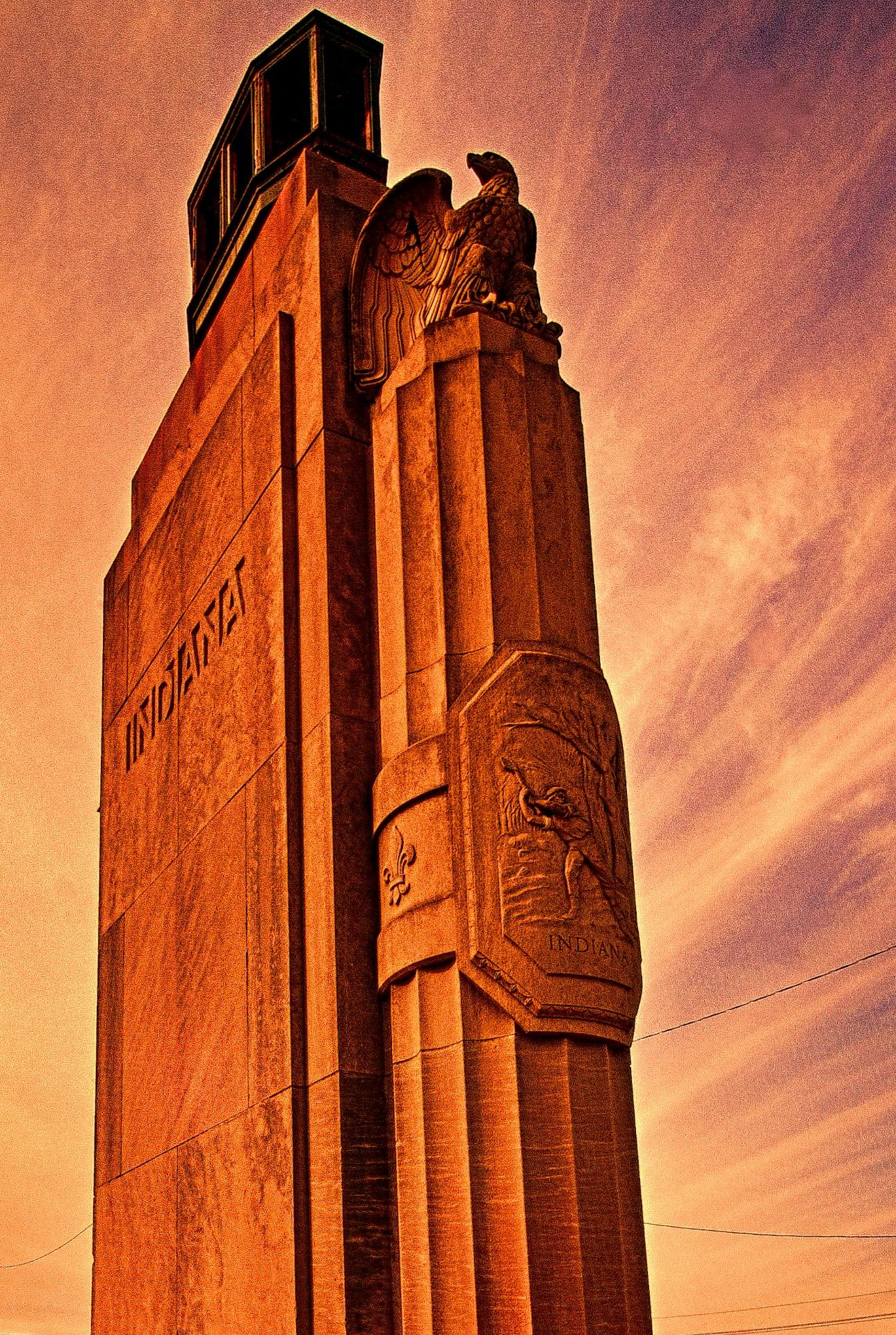
1929 Monument to Progress
A Monument to Progress From the Art Deco Era

Click on the image to enlarge it in a separate window.

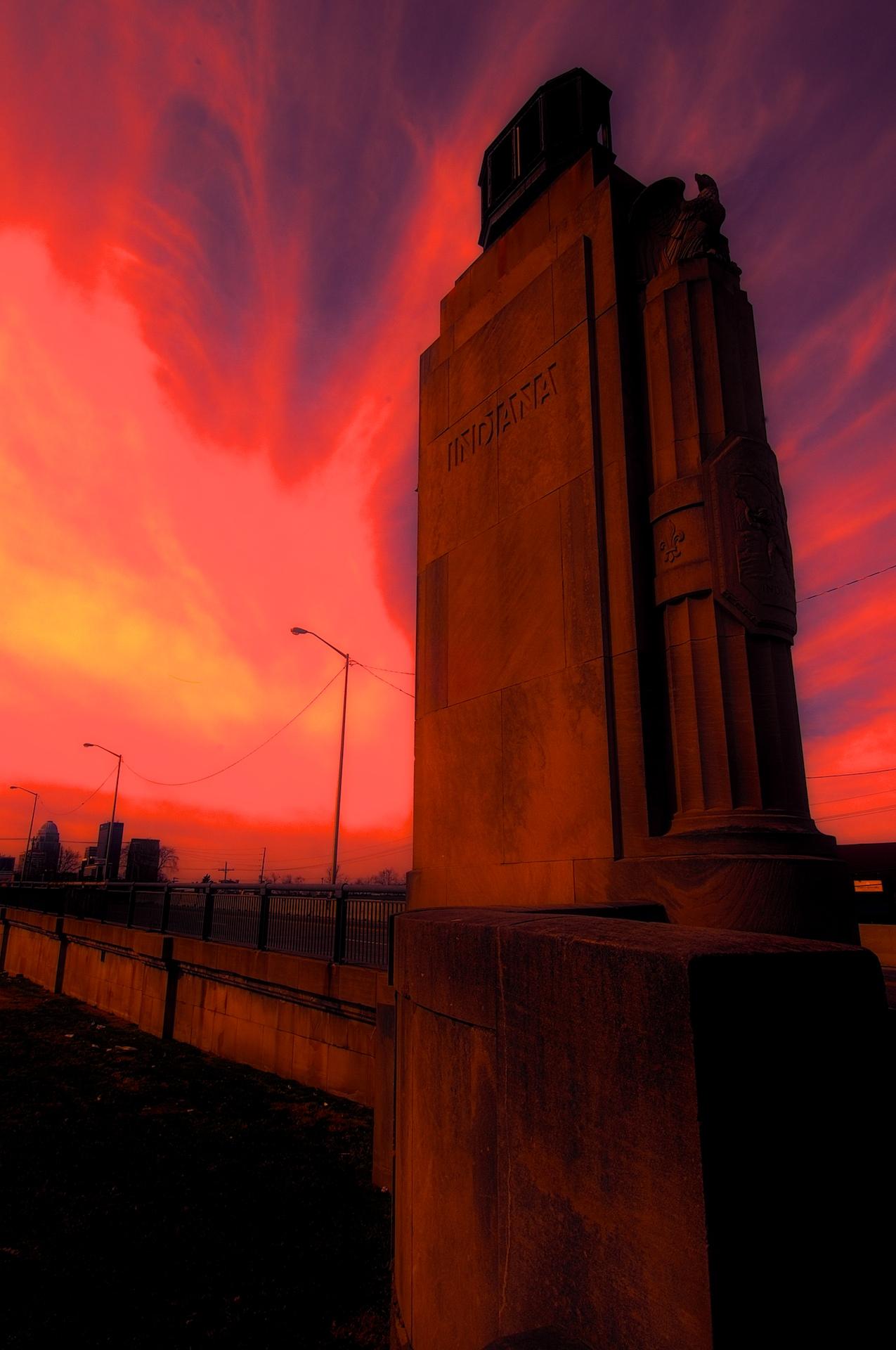
I was in the mood to experiment yesterday and decided to use this photo of the statue at the Indiana entrance of the Clark Memorial Bridge across the Ohio River in Jeffersonville Indiana as my source image. I first created a HDR image from a three frame bracket set of +2, 0 and-2 EV exposures where I applied the Balanced preset with Detail set for Accentuated and Drama set for Deep. I returned the merged file to Aperture 3 for some retouching of dust spots and other standard adjustments. After doing that I created a duplicate file and opened it in Topaz ReStyle where I applied a preset that I happened upon while experimenting with the Landscape presets. I don’t recall which one it is (I should write that stuff down) but I liked the feeling of Art Deco Posters that it gave the image. I also added a texture layer in OnOne Perfect Effects that simulates canvas.

After creating this image I spent a few hours applying different combinations of Topaz ReStyle and OnOne Perfect Effects to several other copies of the same image. It was very exciting to see how many ways I could change the overall feeling of one image simply through application of Various Topaz ReStyle and OnOne Perfect Effects.

1929 Monument to Progress
HDR Image of the Indiana Entrance to the Clark Memorial Bridge in Jeffersonville, Indiana.

Click on the image to enlarge it in a separate window.

The image above is the source image that I created in NIK HDR Efex Pro 2 before experimenting with Topaz ReStyle and OnOne Perfect Effects.

1929 Monument to Progress
There Was a Time When Design Was as Important as Function as in this Monument at the Entrance to the Clark Memorial Bridge in Jeffersonville, Indiana Illustrates.

Click on the image to enlarge it in a separate window.

This version uses only a single Topaz Restyle preset to convey an entirely different feeling to the HDR source image.

Indiana entrance to the Clark Memorial Bridge #4
Apocalyptic Morning

Click on the image to enlarge it in a separate window.

For this final image I worked with a HDR image that I then applied a Fiery preset in Topaz ReStyle to before taking it into OnOne Perfect Effects and using layers added a Glow preset and a Texture preset called Black Leather. In both instances I reduced the Opacity of the presets a lot to get this final version.

I had a blast experimenting with all three pieces of software and may do some further experimenting again soon.

HDR Photos of Progress on the Ohio River Bridge North Tower

Click on the image to enlarge it in a separate window.

North tower, R-5, base with Ironworkers climbing and tying rebar. Sunny, cloudless, day with 3 people visible on scaffolding.
Going Up

The Ironworkers and Carpenters have been very busy over the winter and the North Tower of the Downtown Span is progressing well. In this first image you can see the tower base as it stands today. The Ironworkers are tying the rebar for the next section and as soon as that is done the Carpenters will form that section for the next concrete pour.

I regret that I was under the weather for the first two months of this year and unable to get out to the Ohio River Bridges project very often. In looking back at the images from the end of 2013 I can see that there has been a great deal of progress. I’m back on the job now and will be posting on a regular basis as I did throughout the end of summer and into fall.

All of these images today are HDR images processed in NIK HDR Efex Pro 2 and Aperture 3. As is my standard practice I shot everything handheld in three frame bracket sets of +2, 0 and -2 EV exposures. I applied 60% anti-ghosting during the merging of these three exposures and used the Balanced Preset as my starting point. After merging them and applying the preset I went back into the tone mapping settings and changed the Detail slider to Accentuated and the Drama slider to Deep. That is all I did in NIK HDR Efex Pro 2 before returning the merged file to Aperture 3 where I adjusted the color channels, sharpening, contrast and applied a small vignette.

HDR photo of Four Ironworkers on North Tower landing supplies
Four Ironworkers on North Tower landing supplies. HDR image

Click on the image to enlarge it in a separate window.

In this image the Ironworkers are working with the crane Operator to lift more materials onto the tower scaffolding. They have to communicate with the Crane Operator using hand signals and radios to safely manage material transfers. I am always amazed at the skill of these crane operators to place everything from a small bundle of steel reinforcing to massive concrete forms on the job with pinpoint accuracy.

HDR Photo of Carpenters Removing the concrete form from the eastern base of the North Tower #2

Click on the image to enlarge it in a separate window.

In this HDR image the concrete form is being removed from the angled surface of the eastern side of the eastern pier of the North Tower. The carpenters have unbolted it and rigged it for the crane Operator to lift it and transfer it to a waiting barge until it is needed again. Seeing the Carpenters alongside these forms gives scale to their size. Once again the Crane Operator and the Carpenters are working through radio and hand signals to safely move this massive piece of concrete form.

HDR Photo of Carpenters Removing the concrete form from the eastern base of the North Tower #1

Click on the image to enlarge it in a separate window.

For this HDR image I chose to shoot the removal of the concrete form in a vertical format to better capture the cranes and the upward momentum that the project exudes as it progresses.

HDR photo of the North Tower Bases and Cranes

Click on the image to enlarge it in a separate window.

This HDR image shows both bases for the North Towers of the Ohio River Bridges Project Downtown Span. The progress that is being made really comes out in this HDR photo. The concrete forms have been removed from the base of the western side of the towers and scaffolding is surrounding the transition point as the base morphs into it final cylindrical shape which will be approximately 150 feet in the air when it is completed.

HDR Photo of The North Tower Base Cooling Manifold Lift
HDR Photo of The North Tower Base Cooling Manifold Being Lifted Into Place

Click on the image to enlarge it in a separate window.

This HDR image shows a cooling manifold being lifted into place. It is used to distribute cooling water through the concrete as it cures. When concrete cures there is a lot of heat inside it; this is due to the catalytic reaction of the materials that are used to make concrete. Without cooling this reaction would cause the concrete to overheat and lose it’s strength. The cooling process goes on until sensors built into the structure provide the information to show that it is safe to stop cooling the concrete and allow it to finish curing.

I’m really glad to get back to shooting the Ohio River Bridges Project and posting my work again. I hope that small hiccup at the beginning of the year won’t be repeated and I can complete my project of documenting the Ohio River Bridges Project and the men and women who are doing it.