Tag: clouds

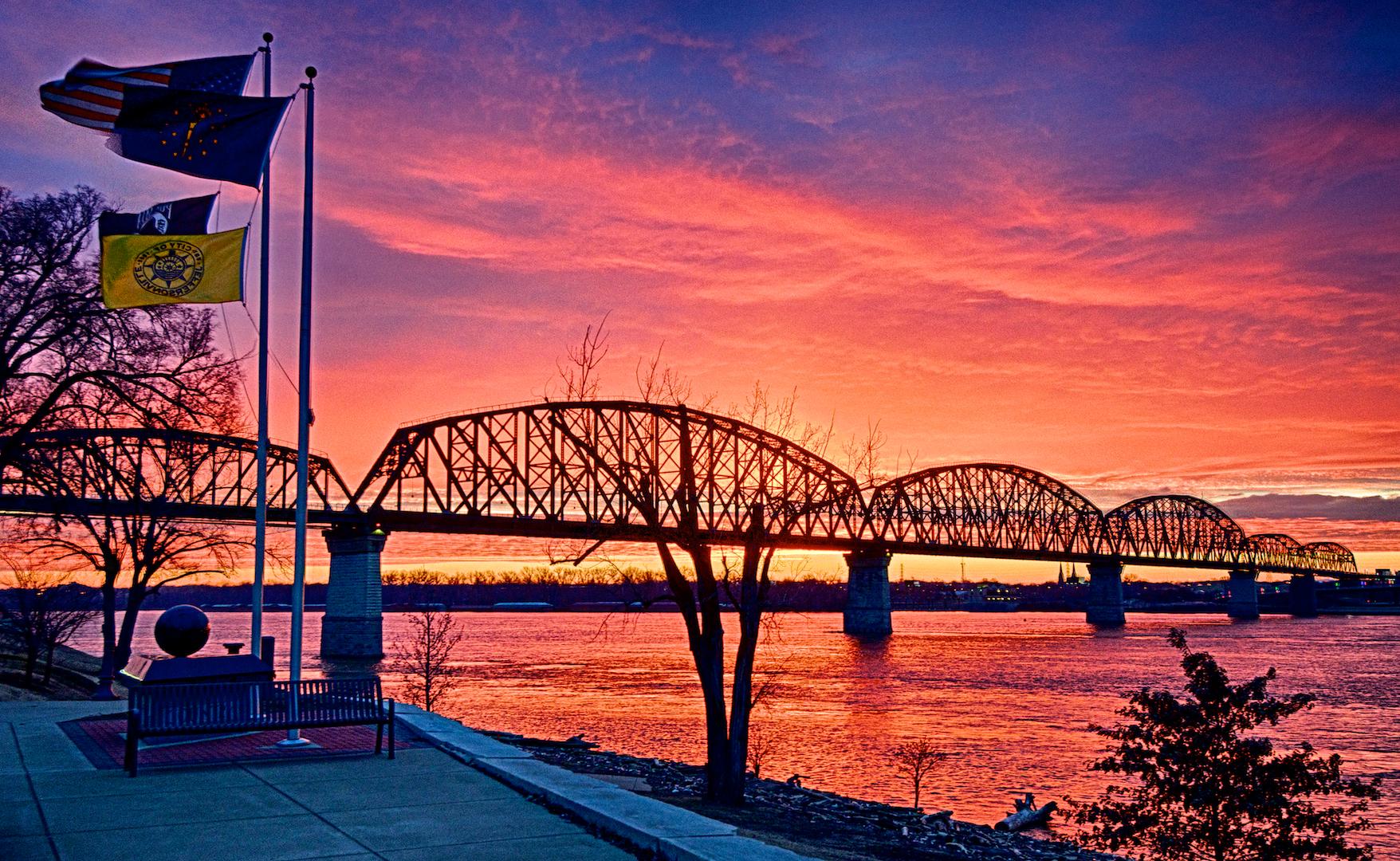
Big Four Bridge Sunrise

Big Four Bridge Sunrise

This HDR image of the Big Four Bridge in Louisville’s Waterfront Park was captured looking east over the Ohio River from the war memorial in Jeffersonville, Indiana. The morning was bitter cold and a weather front was moving in from the west just before sunrise. The clouds were a harbinger  Continue reading “Big Four Bridge Sunrise”

Ironworker’s Sunrise

Ironworker's Sunrise
Ironworker’s Sunrise

Click on the image to enlarge it in another window.

Yesterday morning was one of those mornings where getting up early really paid off. The temperature was 19 degrees with snow showers moving in from the west just before sunrise. The combination of the weather front and the cold temperature made for an incredible display of color as the sun rose. Continue reading “Ironworker’s Sunrise”

November Sunset #2

Ohio River Bridges Project at Sunset #2

Click on the image to enlarge it in another window.

This HDR image was also taken from the Big Four Bridge approach ramp Wednesday evening. I was down in Waterfront Park to capture the sunset over the Walsh Construction Downtown Span section of the Ohio River Bridges Project when I saw that the few remaining clouds were picking up a gorgeous pink light. I stuck around and was lucky enough to get this image.

My processing was pretty straightforward using NIK HDR Efex Pro 2 to merge and align the bracket set and using the balanced preset to start my final processing in Aperture 3. It took a while to get the contrast and color to suit me but after a few minutes of experimenting I settled on this image.

November Sunset

Ohio River Bridges Project at Sunset

Click on the image to enlarge it in another window.

THis HDR image was taken from the Big Four Bridge approach ramp Wednesday evening. I went down to Waterfront Park to capture the sunset over the Walsh Construction Downtown Span section of the Ohio River Bridges Project and was hoping for a dramatic sky. As the sun was setting the clouds had already drifted off to the east and I was about to call it a bust when I saw that the few remaining clouds were picking up a gorgeous pink light. I set up my tripod and spent the next few minutes shooting the river and the city skyline. When I opened the images from the shoot in my computer I saw from the thumbnails that I had captured a solid composition that I liked in this bracket set. I like the way the small amount of handrail in the foreground adds depth to this image and the way the light from the street lamps is illuminating the trees along the walkway.

My processing was pretty straightforward using NIK HDR Efex Pro 2 to merge and align the bracket set and using the balanced preset to start my final processing in Aperture 3. It took a while to get the contrast and color to suit me but after a few minutes of experimenting I settled on this image.

Spaghetti Junction Sunrise

Spaghetti Junction Sunrise (Topaz Clarity Version)

Click on the image to enlarge it.

Today I’m sharing two versions of the same image to show how Topaz Clarity and Topaz Restyle can be used to create different feeling images from the same exposure. In the each version I worked the underexposed frame from the bracket set I shot for HDR processing. I opted to use this frame because I liked the way it emphasized the sky and obscured the foreground. The Clarity version allowed me to bring out the colors in the sunrise sky and the reflection in the foreground while still keeping the equipment subdued yet readable.

Spaghetti Junction Sunrise (Topaz Restyle Version, Fiery Night Preset Version)

Spaghetti Junction Sunrise (Topaz Restyle Version, Fiery Night Preset Version)

Click on the image to enlarge it.

In this second version I used Topaz ReStyle and selected the Fiery Night Preset to really change the sky colors.As you can see it has an entirely different feel from the first image The only difference was the Topaz program I chose to use on the original image.

I intentionally allowed the exposure to be dark in the foreground to lend an air of mystery to the final image. One of the things I like about how ReStyle worked was the way it didn’t create or amplify any noise in the dark areas of the image.

==========================================================

I have an affiliate relationship with Topaz Labs, and earn a small commission on any sales that are made by using the Topaz Labs link below, which helps support this site. Even if you aren’t ready to make a purchase you can use the link to access a Free 30 day Trial of Topaz Labs products to determine whether or not they will fit your own digital workflow.

http://www.topazlabs.com/705.html

==========================================================
