Tag: Aperture 3

Robyn Again

Carpenter Robyn Keith

Click on image to enlarge it in another window.

Today I’m sharing the three images that I used to create this HDR image. I merged them in NIK HDR Efex Pro 2 and applied the Balanced preset. After that I returned the image to Aperture 3 for final adjustments.

2 Stops Underexposed

Click on image to enlarge it in another window.

Proper Exposure
Proper Exposure

Click on image to enlarge it in another window.

2 Stops Overexposed
2 Stops Overexposed

Click on image to enlarge it in another window.

As you can see each of the three images probably would not have produced such a broad dynamic range. Using HDR processing allows me to take a bracket set such as this and create a powerful and dynamic image.


B&W HDR Image

Drilling Equipment #2

Click on the image to enlarge it in another window.

Using HDR to create a B&W is another way to exploit the broad dynamic range that a HDR image gives me. This image was created from a three frame bracket set that I first processed in NIK HDR Efex Pro 2.

After tone mapping and adjusting the contrast I returned the image to Aperture 3 for final color adjustments and sharpening. After finishing it there I decided to use OnOne Perfect B&W to convert it to a monochrome image. I liked the composition and the way the conversion turned out which is why I’m sharing it with my readers.


HDR of Ohio River Bridges Project

Saturday on the Ohio River Bridges Project

Click on the image to enlarge it in a new window.

This image was captured looking west from the Big Four Bridge. The two cranes in the river are drilling sites where the towers for the Downtown Span will be built. The tugboat in the foreground was moving barges into place at the two drilling sites.

The image was created from a three frame bracket set of +2, 0 and -2 EV shot handheld. I merged them in NIK HDR Efex Pro 2 and applied the Balanced preset which I then tweaked to get the detail and realism I was looking for. I set the anti-ghosting at 60% which did a good job of rendering the moving tugboat. After merging and tweaking the image I returned it to Aperture 3 where I finished adjusting the color channels, contrast and sharpening.

Final Assembly of the Pier Reinforcement Structure

Ironworkers on barge
Ironworkers on their construction barge put the final touches on the pier reinforcement structure.

Click on the image to enlarge it in another window.

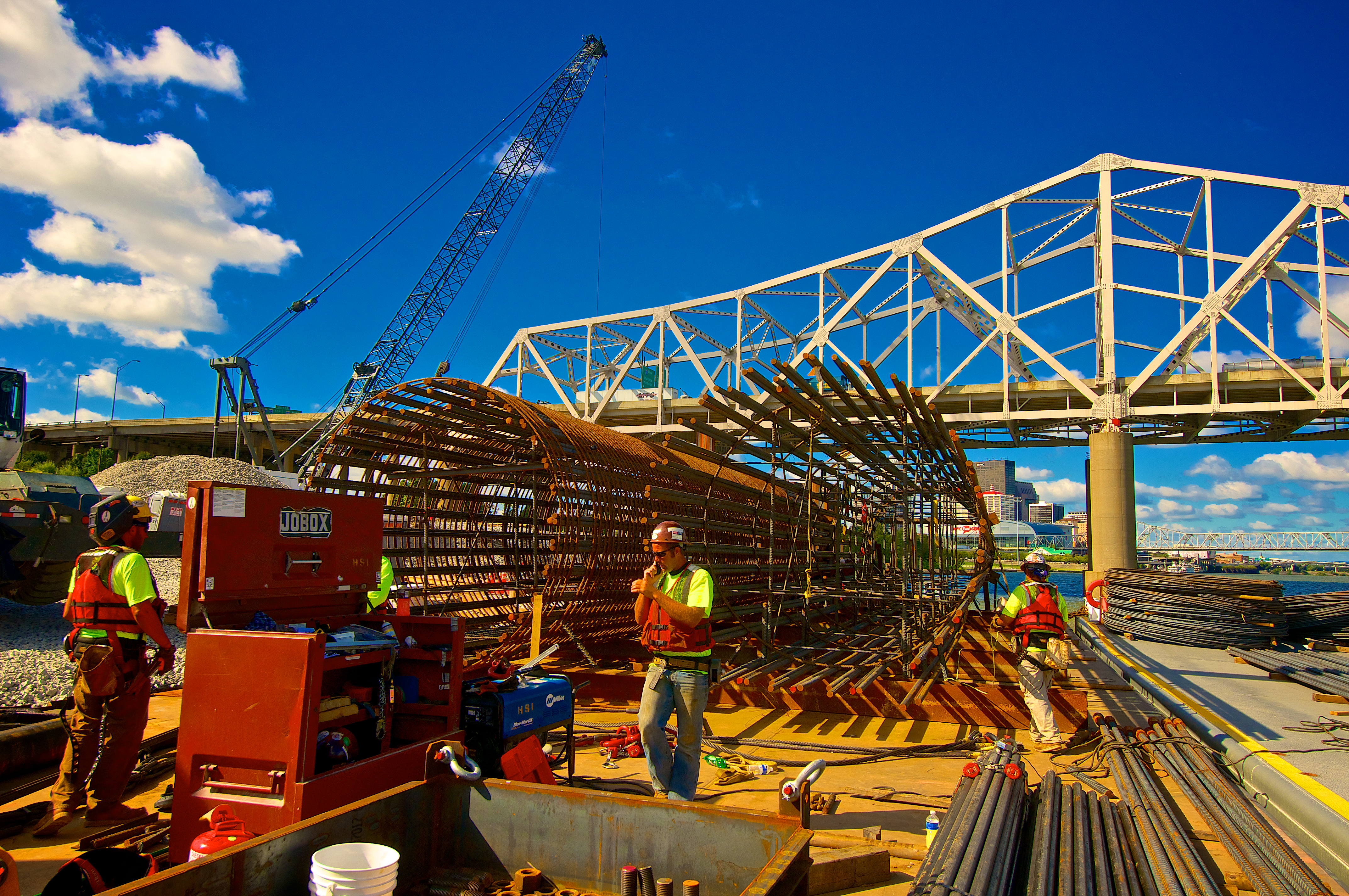
This image shows the pier reinforcement structure that will be taken out to the drilling platform in the background and installed inside a steel caisson  that has been drilled thirty feet into the bedrock under the river. The men are making their final assembly before rigging it to be lifted and inserted into the caisson the next day.

Once again I worked with a single frame from my bracket set in Aperture 3. I created a preset that I can apply to most of my shots from this day which will greatly speed up my processing for the entire shoot. Once I have my basic settings adjusted to suit my vision for the photo I create a preset that I can then apply to other images from the shoot and then adjust to fine tune a particular image.

The Ironworker’s Barge

The Ironworker's Barge
The Ironworker’s Barge

Click on the image to enlarge it in another window.

This image is from the work barge where the ironworkers are constructing the reinforcement frameworks that will be placed inside the bridge piers before the concrete in poured. I processed it in Aperture 3 without any additional plug-ins.